Shared link overview
You can keep track of the record’s shared links in the "Shared link overview" dialogue.
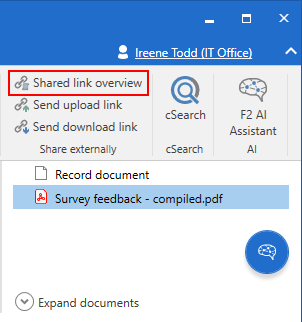
Click on Shared link overview in the "Share externally" menu group on the record ribbon to open the dialogue.
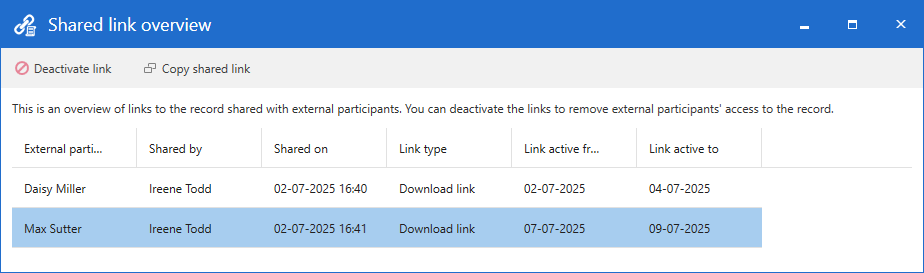
Dialogue options in the "Shared link overview" dialogue
The dialogue contains the following menu items:
| Icon | Menu item | Description |
|---|---|---|
|
Deactivate link |
Deactivate a link immediately. |
|
Copy shared link |
Copy the link. This feature may be useful if you need to manually share the link with the external participant, for example it they have lost the original email containing the link. They will still need to enter the text code they received when the link was originally shared. Read more about receiving a link as an external participant. |


Dialogue columns
The dialogue contains the following columns:
| Column | Description |
|---|---|
External participant |
The name of the external participant with whom the link is shared. |
Shared by |
The name of the F2 user who created the link. |
Shared on |
Date and time when the link was created. |
Link type |
Shows whether the link is for downloading or uploading. |
Link active from |
Time of link activation. |
Link active to |
Time of link deactivation. |