Transfer cSearch results to F2’s main window
| The content of this website is last updated to F2 version 13. cBrain are working hard on supplying you with the newest documentation of F2. In the meantime you can read about the latest features and changes in our release notes. |
cSearch’s list of results can be transferred to F2’s main window. To transfer the results, click the  icon in the cSearch window.

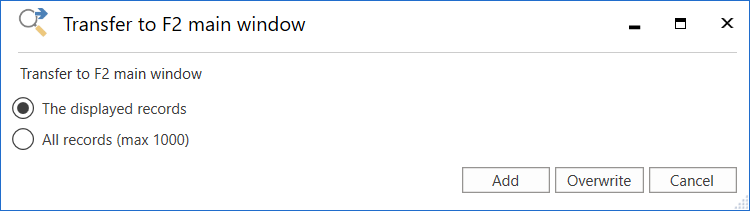
The “Transfer to F2 main window” dialogue opens. From here, choose whether to transfer only the displayed excerpt of records or all records from the cSearch result list to F2’s main window.
Click Add to add the selection to the “cSearch results” folder. Click Overwrite to replace the folder’s existing content (if a previous search was transferred) with the new search results. This will transfer the cSearch results in the form of records to the “cSearch results” folder. The folder is located in the “Folders” node in the list view at the left of F2’s main window.
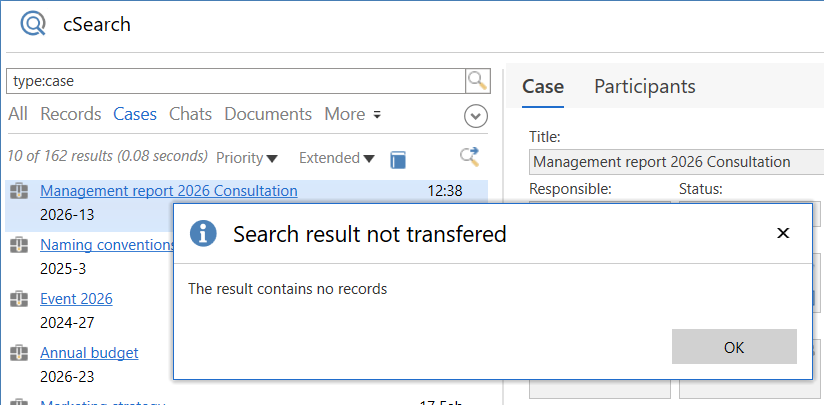
Only search results containing records can be transferred. If the list does not contain any records, e.g. if the list contains only cases, the “Search result not transferred” dialogue appears.