Approvals
An approval consists of a number of approval steps which ensure that attached material is processed and approved in the correct order. The number of steps may vary, but an approval always has at least one responsible user and one approver.
The step involving the minister will typically have an approval gateway. This allows the ministerial secretariat, acting as gatekeeper, to determine when the minister can access the approval on their iPad.
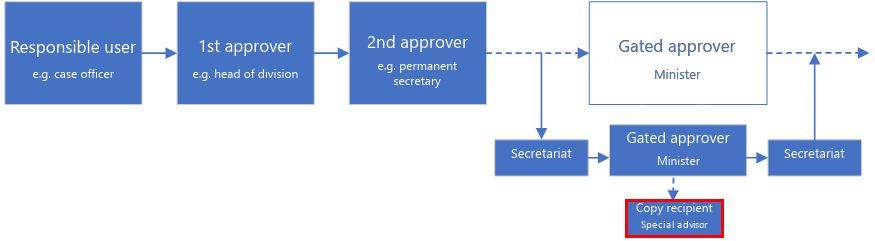
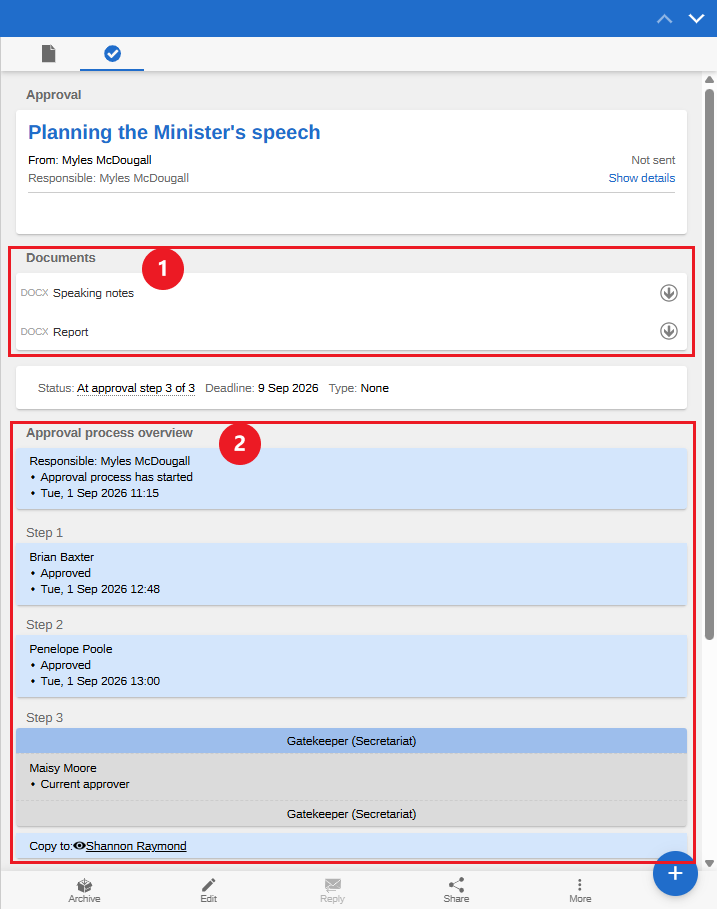
As a special advisor, you will typically receive an approval as a copy recipient on the minister’s step. The approval appears in your inbox when it reaches the minister’s step. On the "Approval" tab you can review the attached documents (1). An overview of the approval process is displayed below the documents (2).
Process an approval
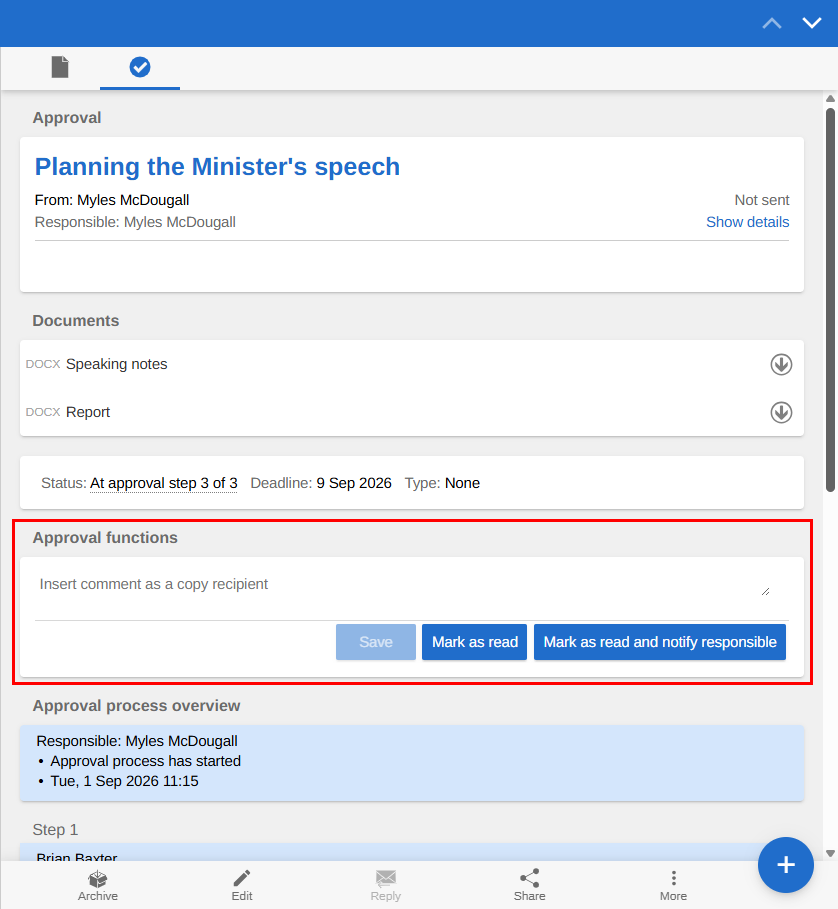
When an approval appears in your inbox, you can review it, add comments, and finally mark it as read.
As a copy recipient, you can mark an approval as read in two ways:
-
Mark as read: You acknowledge having seen the approval.
-
Mark as read and notify responsible: You acknowledge having seen the approval. The responsible user is notified in their inbox that you have read the approval. This ensures that the responsible user is made aware of any comments you have added.
When you have marked an approval as read, a black eye icon appears next to your name in the "Copy to" field.
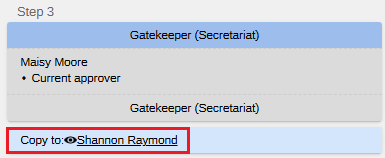
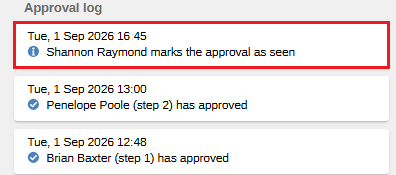
The approval log also shows that you, as a copy recipient, marked the approval as read.